Monday, March 12, 2018

Monday, November 20, 2017
Sunday, November 19, 2017
Thursday, August 10, 2017
Tuesday, August 1, 2017
Monday, July 31, 2017
How to check SQL Server version
Select @@version
Result:-
Microsoft SQL Server 2012 – 11.0.5058.0 (X64)
May 14 2014 18:34:29
Copyright (c) Microsoft Corporation
Enterprise Edition: Core-based Licensing (64-bit) on Windows NT 6.3 <X64> (Build 9600: )
Monday, July 24, 2017
Sunday, July 23, 2017
Enable VNC server on RHEL 7 or OEL 7
Enable VNC server on RHEL 7 or OEL 7
[Service]
Please install the following package.
# yum install tigervnc-server
Then copy the service file to systemd location.
The browse to the directory vi /etc/systemd/system/vncsever@:2.service
Make the following changes
Type=forking
# Clean any existing files in /tmp/.X11-unix environment
ExecStartPre=/bin/sh -c ‘/usr/bin/vncserver -kill %i > /dev/null 2>&1 || :’
ExecStart=/usr/sbin/runuser -l root -c “/usr/bin/vncserver %i”
PIDFile=/root/.vnc/%H%i.pid
ExecStop=/bin/sh -c ‘/usr/bin/vncserver -kill %i > /dev/null 2>&1 || :’
Change the VNC password
vncpasswd
Password- 12345
Retype password- 12345
Then run the following commands
Unable to create directory uploads/. Is its parent directory writable by
Unable to create directory uploads/. Is its parent directory writable by

Permissions file to 777 while i upload the plugins or the media .For select folder
Enable or Disable SELinux
Disable SELinux Temporarily
To disable SELinux temporarily, issue the command below as root:
# echo 0 > /selinux/enforce
How To Create an SSL Certificate on Nginx for CentOS
How To Create an SSL Certificate on Nginx for CentOS
Prerequisites
# yum update
# yum install nginx
Create the SSL Certificate
Create a folder for ssl
sudo mkdir /etc/nginx/ssl
Installing PHP-FPM on CentOS Linux
Installing PHP-FPM on CentOS Linux
Add remi repository for PHP
Remi Dependency on CentOS 6 and Red Hat (RHEL) 6
# sudo rpm -ivh http://download.fedoraproject.org/pub/epel/6/i386/epel-release-6-8.noarch.rpm
CentOS 6 and Red Hat (RHEL) 6
# sudo rpm -ivh http://rpms.famillecollet.com/enterprise/remi-release-6.rpm
Install php-fpm and dependencies
sudo yum install php-fpm
Oracle Database 12 Release 2 Installation Step By Step on Window Server 2008
Oracle Database 12 Release 2 Installation Step By Step on Window Server 2008
Download the setup Oracle 12C (12.2) extract the file http://download.oracle.com/otn/nt/oracle12c/122010/winx64_12201_database.zip?AuthParam=1500618276_6bc47c2af4b28270b85c489742e6f3b5 Link : http://www.oracle.com/technetwork/database/enterprise-edition/downloads/oracle12c-windows-3633015.html winx64_12201_database.zip
Readmore...
Download the setup Oracle 12C (12.2) extract the file http://download.oracle.com/otn/nt/oracle12c/122010/winx64_12201_database.zip?AuthParam=1500618276_6bc47c2af4b28270b85c489742e6f3b5 Link : http://www.oracle.com/technetwork/database/enterprise-edition/downloads/oracle12c-windows-3633015.html winx64_12201_database.zip
Readmore...
Monday, July 10, 2017
Enable VNC server on RHEL 7 or OEL 7
Enable VNC server on RHEL 7 or OEL 7
Please install the following package.
# yum install tigervnc-server
Then copy the service file to systemd location.
The browse to the directory vi /etc/systemd/system/vncsever@:2.service
Make the following changes
Subscribe to:
Posts (Atom)
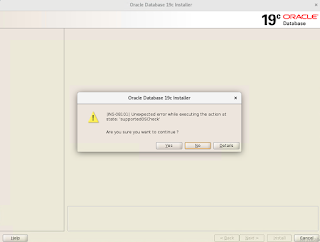
Oracle Database 19c Installation on Oracle Linux 7
Pre-installation settings before installing Oracle Database 19c SELinux If the OS is to be used for an Oracle installation, it is ...